If you’ve ever stood at a coffee shop waiting for a frozen POS system to process your order, or tried to check out of an e-commerce store only to get stuck on an endless loading screen, you’ve probably encountered a deadlock without knowing it. Most system administrators and backend developers see deadlock errors pop up in logs every now and then, but few stop to ask: are deadlocks safe for their systems long-term? This guide breaks down the real impact of deadlocks, when you can ignore them (hint: almost never), and simple steps to keep them from causing costly issues for your team and users.
Are Deadlocks Safe? Breaking Down the Core Risks
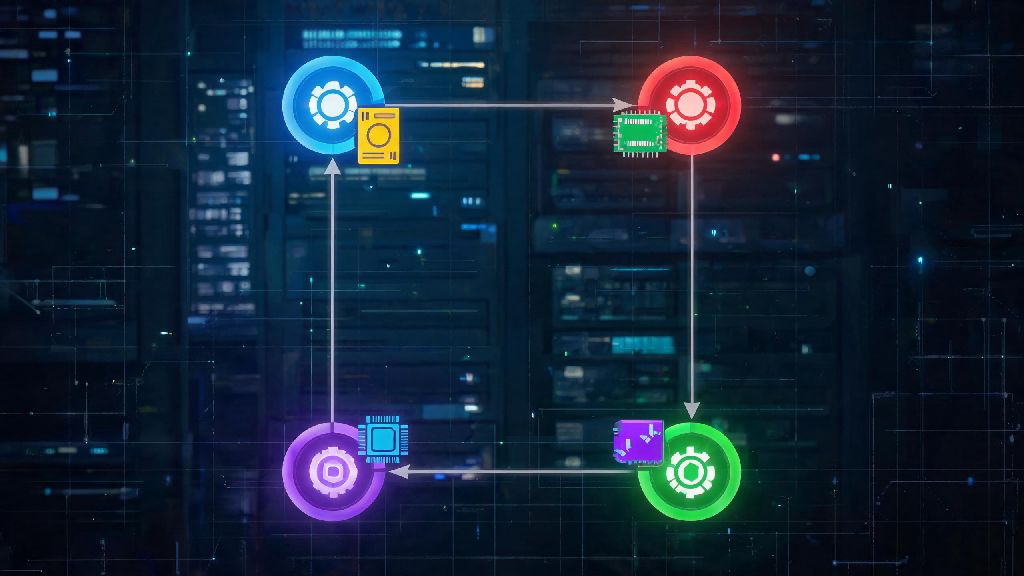
The short answer to this common question is no, deadlocks are almost never safe for production systems, even if you don’t see immediate user-facing issues. A deadlock happens when two or more processes each hold a resource the other needs to complete, so they get stuck waiting forever, unable to move forward. This doesn’t just freeze those individual processes, it can have cascading effects across your entire stack.
The most common harms from unaddressed deadlocks include:
When Deadlocks Might Seem Harmless (But Still Aren’t)
You might run into small, auto-resolved deadlocks that happen so fast your users never notice, especially if you’re using modern databases or operating systems with built-in deadlock detection. You might be tempted to write off these small incidents and assume the answer to are deadlocks safe is yes for your use case, but that's a risky mistake.
For example, if you have 2-3 deadlocks a week in your PostgreSQL database that get resolved in 100 milliseconds or less, you won’t see outages, but those deadlocks are a clear sign of poor query design that will get worse as your user base grows. Silent performance degradation is one of the biggest hidden costs of unaddressed minor deadlocks. You’re wasting compute resources that could be used to speed up load times for your users, or reduce your cloud hosting bill by cutting down on unused processing power.
Auto-resolution also picks which process to kill at random in most cases, so you could be killing high-priority transactions like customer payments without even knowing it. Over the course of a year, these small lost transactions can add up to tens of thousands of dollars in missed revenue you never even knew you lost.
How to Tell if Your Deadlocks Pose an Immediate Threat
If you're asking are deadlocks safe for your specific stack, the best first step is to pull your last 30 days of error logs and count how many deadlock incidents you’ve had. A single deadlock after a new code deployment isn’t a crisis, but consistent deadlocks multiple times a week mean you have a structural issue that needs to be fixed.
There are a few key signs that your deadlocks are an immediate threat to your business: First, if deadlocks are taking longer than 1 second to resolve, you’re at risk of users noticing slow load times or timeouts. Second, if the deadlocked processes are core business functions like payment processing, user authentication, or inventory tracking, you need to prioritize fixes right away. Third, if you’re seeing deadlocks paired with data inconsistency reports from users, you’re already at risk of permanent data loss.
Deadlock monitoring tools built into most operating systems and databases make this process easy, and you don’t need any special expertise to pull and review basic deadlock logs. For small personal projects with less than 100 active users, an occasional deadlock might not be a top priority, but it’s still a good habit to fix them early before they turn into bigger issues as you scale.
Simple Steps to Keep Deadlocks From Harming Your Systems
You don’t need to implement complicated deadlock detection algorithms or spend thousands of dollars on special tools to prevent deadlock harm for most small to mid-sized systems. The most effective fix is also the simplest: require all processes to request system resources in the same fixed order. Orderly resource allocation eliminates 90% of common deadlocks immediately, because no two processes will ever hold a resource the other needs if they request locks in the same sequence.
Another easy fix is to set short timeouts for all resource locks, so if a process holds a lock longer than expected, it gets released automatically so other processes can use it. You should also run a quick deadlock audit once a month, especially after deploying new backend code or scaling your user base, to catch any new deadlock patterns early.
If you’re working with databases, make sure you keep transactions as short as possible, and avoid holding locks while waiting for user input, which is one of the most common causes of database deadlocks. Proactive deadlock prevention takes less than an hour a month for most teams, and it saves you from hours of downtime and lost revenue down the line.
At the end of the day, the question of are deadlocks safe boils down to how often they happen and how well your system is set up to handle them. Even minor, auto-resolved deadlocks are a warning sign that you have inefficiencies in your code or system design, so don’t brush them off as harmless quirks. You don’t need to be an operating system expert to reduce deadlock risk, either. Following basic best practices like consistent resource ordering, short lock timeouts, and regular log checks is enough to keep most teams completely protected from deadlock harm. Taking a few minutes to address small deadlocks now will save you from a lot of stress, lost revenue, and frustrated users later on.