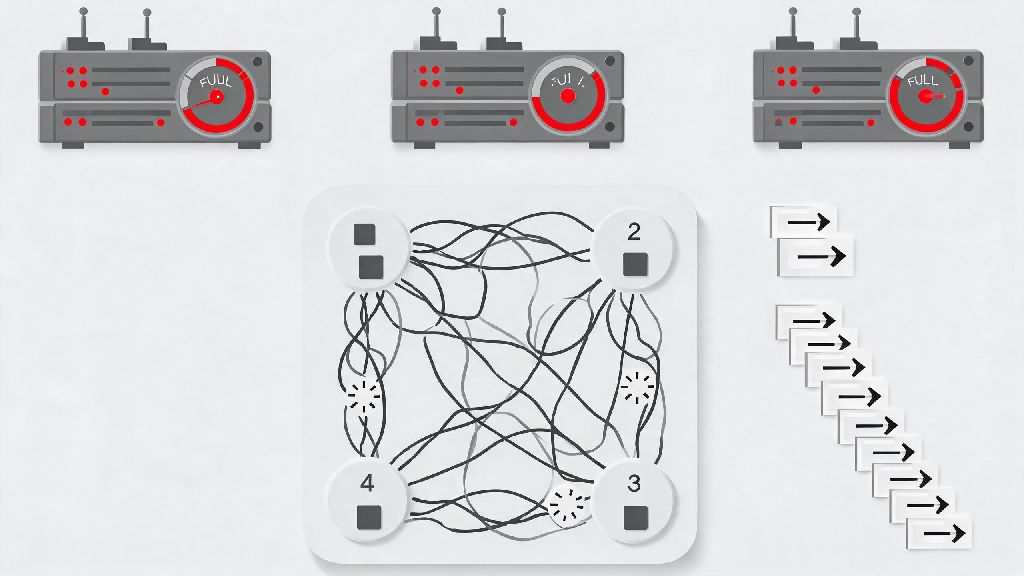
If you’ve ever waited 20 minutes for an e-commerce checkout to process, or watched a backend server’s CPU sit at 0% utilization even though 100 pending requests are queued, you’ve almost certainly encountered a deadlock. Most new devs and sysadmins assume the only fix is a full system restart, but learning how to unlock deadlock safely can save you hours of downtime and hundreds of lost customer interactions. Deadlocks happen when two or more processes each hold a resource the other needs to complete, and neither will release their hold first. They pop up everywhere from consumer operating systems to enterprise-grade SQL databases, and if handled wrong, they can cause cascading outages across your entire tech stack. This guide breaks down proven steps to diagnose, resolve, and prevent deadlocks, no fancy specialized tools required.
How to Correctly Identify a Deadlock vs. Regular System Lag
Before you start killing processes or restarting servers, you need to be 100% sure you’re dealing with a deadlock, not just a slow system from high traffic or a memory leak. A lot of teams waste hours troubleshooting deadlocks when the real issue is a poorly optimized query or a full disk, so taking 5 minutes to confirm will save you a lot of headache later. One of the clearest signs of a deadlock is zero progress for all involved processes, even when system resources are available. If your CPU, RAM, and storage all have free capacity, but a handful of processes haven’t moved in 5+ minutes, that’s a red flag. You can use built-in tools to check for resource hold conflicts: on Windows that’s Resource Monitor, on Linux you can use ps and lsof commands, and for databases you can run built-in deadlock query logs. Unlike regular lag, deadlocks won’t resolve on their own if you wait. If you come back to the same frozen processes an hour later with no change, you can be almost certain you’re dealing with a deadlock.
You also want to rule out stuck processes caused by unhandled errors. A process that crashed halfway through a task might look like it’s part of a deadlock, but it’s not holding any locked resources that other processes are waiting for. A quick check of application error logs will usually help you tell the difference between a crashed process and one stuck in a deadlock chain.
How to Unlock Deadlock Without Breaking Critical Operations
Once you’ve confirmed you have a deadlock, the next step is to resolve it with as little disruption as possible. You don’t want to kill a payment processing process mid-transaction, or wipe a customer’s order data by force-restarting a database, so follow this structured approach instead. Start by prioritizing processes based on business value before you make any changes. For example, if you have a deadlock between a nightly report generation process and a checkout payment process, you’ll always want to keep the payment process running to avoid lost sales. Here is the step-by-step process you can follow for most deadlock cases:
If you don’t want to terminate a process entirely, you can also use preemption to take a resource from one process and give it to another, but this only works for certain resource types. For example, you can preempt a storage read lock from a background report process and assign it to a customer-facing process, but you can’t preempt a CPU core allocation mid-task without risking data loss. For 90% of common deadlock cases, terminating the lowest-priority process is the fastest, safest fix.
For distributed system deadlocks that span multiple servers, you can use the same core process, just make sure you check cross-server resource holds before you terminate anything. A deadlock between a front-end web server process and a backend inventory database process might look like two separate isolated issues if you only check one server at a time.
Short-Term Fixes vs. Long-Term Deadlock Prevention Strategies
Unlocking an active deadlock is only half the battle. If you don’t fix the root cause, you’ll run into the exact same issue a week, or even a few hours, later. Short-term fixes get your system back online fast, but you need to pair them with long-term changes to eliminate deadlock risk entirely. Short-term fixes work for one-off deadlocks caused by unusual traffic spikes or one-off bad queries. These include process termination, resource preemption, and temporary resource allocation limits to keep operations running while you troubleshoot the root cause. You shouldn’t rely on these fixes long-term, because they still carry small risk of data loss and require manual intervention every time a deadlock occurs.
Long-term prevention strategies eliminate deadlock risk entirely by addressing one of the four required conditions for deadlocks: mutual exclusion, hold and wait, no preemption, and circular wait. One of the easiest to implement is a standardized resource ordering rule for all your processes. For example, if every process that needs access to both the user database and the order database always accesses the user database first, you’ll eliminate circular wait entirely, which is the cause of 70% of all enterprise deadlocks.
Other long-term fixes include eliminating unnecessary exclusive locks, using timeouts for all resource requests so processes automatically release resources if they can’t get all the ones they need, and using deadlock detection tools that flag potential deadlock chains before they fully form. You don’t have to implement all of these at once, even adding a 30-second timeout for all database transaction locks will cut your deadlock risk by more than half almost immediately. For smaller teams, just auditing your most common resource access patterns once a quarter will catch most deadlock risks before they cause outages.
Common Deadlock Unlocking Mistakes to Avoid At All Costs
Even experienced devs make mistakes when handling deadlocks, and some of these mistakes can cause far more damage than the deadlock itself. The most common mistake I see is immediately restarting the entire server or database as soon as a deadlock is suspected. Restarting will resolve the deadlock, but it will also kill every running process, not just the ones involved in the deadlock, leading to unnecessary downtime for all users. I once saw a small e-commerce store lose $12,000 in sales in 45 minutes because a junior sysadmin restarted their entire checkout server to fix a deadlock between two non-critical inventory report processes, which could have been fixed in 2 minutes by terminating just the report processes.
Another common mistake is terminating processes without rolling back incomplete transactions. If you kill a database transaction mid-update without rolling it back, you can leave your database in an inconsistent state: for example, a customer’s payment might be marked as processed, but their order might not be added to the fulfillment queue. Always make sure you have a clear rollback plan before you terminate any process holding write access to persistent storage. You also want to avoid changing resource allocation rules mid-outage without testing them first. It’s tempting to bump up resource limits to resolve the current deadlock, but that can create more resource conflicts and lead to even more deadlocks later once traffic picks back up.
If you’re unsure what process to terminate, start with the newest process in the deadlock chain: it’s far less likely to have completed critical work that’s hard to roll back than a process that’s been running for hours. Don’t try to terminate multiple processes at once, either, because that can create orphaned resource locks that are even harder to clear later. Take it one step at a time, and verify each action before you move to the next.
Deadlocks are frustrating, but they don’t have to be a crisis every time they pop up. Taking the time to properly diagnose the issue, prioritize business-critical processes, and follow a structured resolution workflow will help you resolve deadlocks fast with minimal disruption. Pairing those fixes with long-term prevention rules like standardized resource ordering and transaction timeouts will cut down how often you have to deal with them in the first place. Even if you’re new to system administration or backend development, you can master how to unlock deadlock safely without relying on full system restarts that cost your business time and money.