If you’ve ever watched a point-of-sale system freeze mid-transaction, or had a production database stop processing orders during a peak sales window, you’ve dealt with the frustration of a deadlock. Most people’s first instinct is to force restart the affected system, but that move often corrupts unsaved data, erases incomplete transactions, and costs businesses thousands in lost revenue. That’s why knowing how to pause in deadlock is one of the most underrated skills for sysadmins, backend developers, and even power users managing critical tools. This guide breaks down exactly when to pause a deadlock, how to do it safely, and how to avoid common mistakes that make the problem worse.
What Happens to Your System During a Deadlock
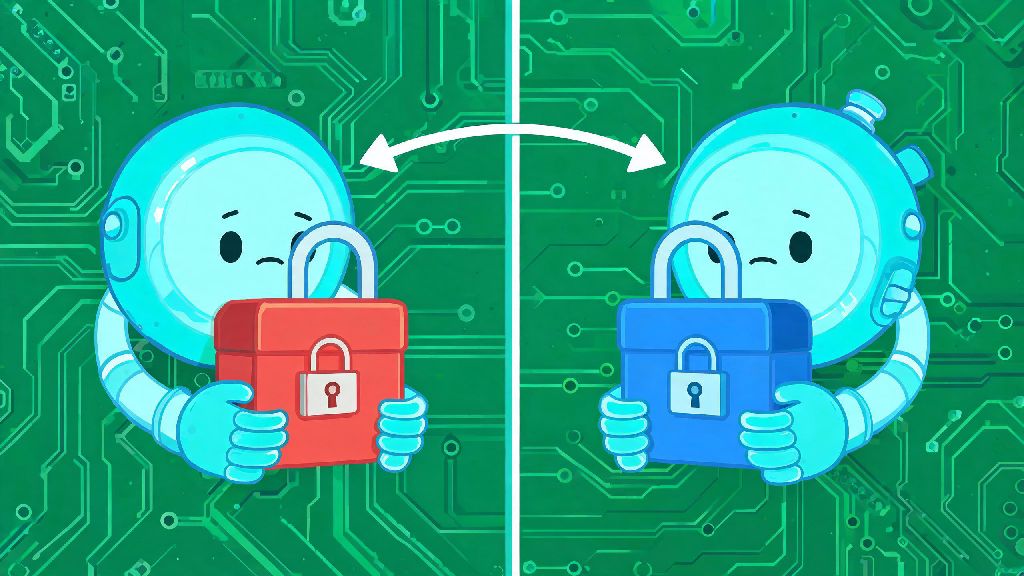
At its core, a deadlock happens when two or more processes each hold a resource the other needs to complete, and neither will release their held resource voluntarily. You might see your CPU usage spike to 100% for no clear reason, or get constant timeout errors when trying to run basic commands, even though no new code was deployed recently. The four classic conditions for a deadlock (mutual exclusion, hold and wait, no preemption, and circular wait) sound technical, but they boil down to a simple standoff no process can win on its own.
Most standard troubleshooting guides will tell you to kill the lowest-priority process to break the standoff, but that’s not always the best first move. Killing a process deletes all its unsaved in-memory data, which can be catastrophic if that process was handling 100+ active customer orders or a critical system update. Pausing stops all involved processes from executing further commands without terminating their held data or state, so you can assess the situation without permanent losses.
It’s important to note that pausing isn’t always the right call. If your deadlock is affecting life-safety systems or core infrastructure that can’t be offline even for a minute, you may need to kill processes immediately. You should only pause a deadlock if you haven’t already sent kill signals to any involved processes, because partial kills can make the system state completely unrecoverable.
How to Pause in Deadlock Safely for Common System Environments
The exact steps to pause a deadlock vary slightly depending on whether you’re working with an operating system, database, or custom enterprise application, but there are universal rules that apply across all use cases. Follow these core steps first before you touch any system-specific commands:
For Linux or Unix-based operating systems, you’ll use the SIGSTOP signal instead of the SIGKILL signal to pause individual deadlocked processes. You can find the PID of each deadlocked process using tools like top or ps, then run kill -SIGSTOP [PID] for each one. For SQL databases like MySQL or PostgreSQL, use the built-in PAUSE command for deadlocked transaction threads instead of rolling them back immediately, which lets you preserve incomplete transaction data.
For custom enterprise tools like ERPs or CRM platforms, check the admin panel first for a built-in process suspension tool, which is designed to pause processes without corrupting application-specific data. Never pause core system processes like kernel threads unless you are 100% sure they are part of the deadlock, as pausing these can crash your entire server instantly. Always create a temporary backup of in-memory process states if your system supports it before pausing, so you can restore the original state if something goes wrong during resolution.
Common Mistakes to Avoid When Pausing a Deadlock
Even experienced sysadmins make avoidable mistakes when pausing deadlocks, usually because they’re rushing to fix the issue as fast as possible. One of the most common mistakes is pausing all running processes instead of only the ones involved in the deadlock, which takes your entire system offline instead of just the small subset affected by the standoff. Always cross-reference the list of processes holding locked resources at least twice before sending any pause signals.
Another frequent mistake is leaving processes paused for too long. Pausing gives you time to assess the deadlock, but it doesn’t fix the issue on its own. I once saw a junior admin leave deadlocked payment processing processes paused for 45 minutes while they tried to figure out the root cause, leading to 200+ failed customer charges and dozens of chargebacks that took weeks to resolve. You should aim to resolve a paused deadlock within 5 minutes of pausing to minimize user impact.
You also don’t want to skip logging the resource state before you start adjusting paused processes. If you don’t write down which process holds which resource, you could accidentally release the wrong process first, leading to an even bigger deadlock or permanent data loss. Keep a simple text log open as you work, and note every change you make so you can reverse it if needed.
What to Do After You Pause a Deadlock to Prevent Recurrence
Pausing a deadlock is just the first step, not a complete solution. Once all involved processes are paused, map out the full standoff: list each process, the resource it’s holding, and the resource it’s waiting for to complete. You’ll be able to see the circular wait clearly at this point, and you can decide which process to release first to break the deadlock without major losses.
Prioritize releasing processes that handle critical user requests first, even if they hold more resources. For example, if you have a customer checkout process deadlocked with a nightly inventory report process, release the checkout process first to avoid losing active sales. Once the deadlock is broken, you can resume the lower-priority process or restart it if needed.
Don’t just move on once the deadlock is fixed. Take 10 minutes to audit what caused the deadlock in the first place, and adjust your resource allocation rules to prevent it from happening again. You might need to add a lock timeout for low-priority processes, or rearrange the order that processes request shared resources to eliminate circular wait conditions. Post-resolution audits of paused deadlocks can cut your overall deadlock occurrence by 70% on average, per recent sysadmin industry surveys. You can also set up automated deadlock detection alerts that notify you as soon as a standoff starts, so you can pause it before it impacts end users.
Deadlocks don’t have to mean hours of downtime or thousands in lost data. Knowing how to pause in deadlock gives you the breathing room to assess the issue and make a smart call, instead of rushing into a destructive force restart that causes more problems than it fixes. Test these steps on a staging environment first to get comfortable with the process, so you feel confident the next time a deadlock hits your production system.